
The released interface, up close.
Nineteen ChannelWatch v1.3.0 captures made from the published app with safe demo data. Every image opens at full resolution.
Follow the operator workflow
Start with first-run setup, move through daily monitoring and alert routing, then inspect backup, diagnostics, updates, and security.
Setup
3 verified views
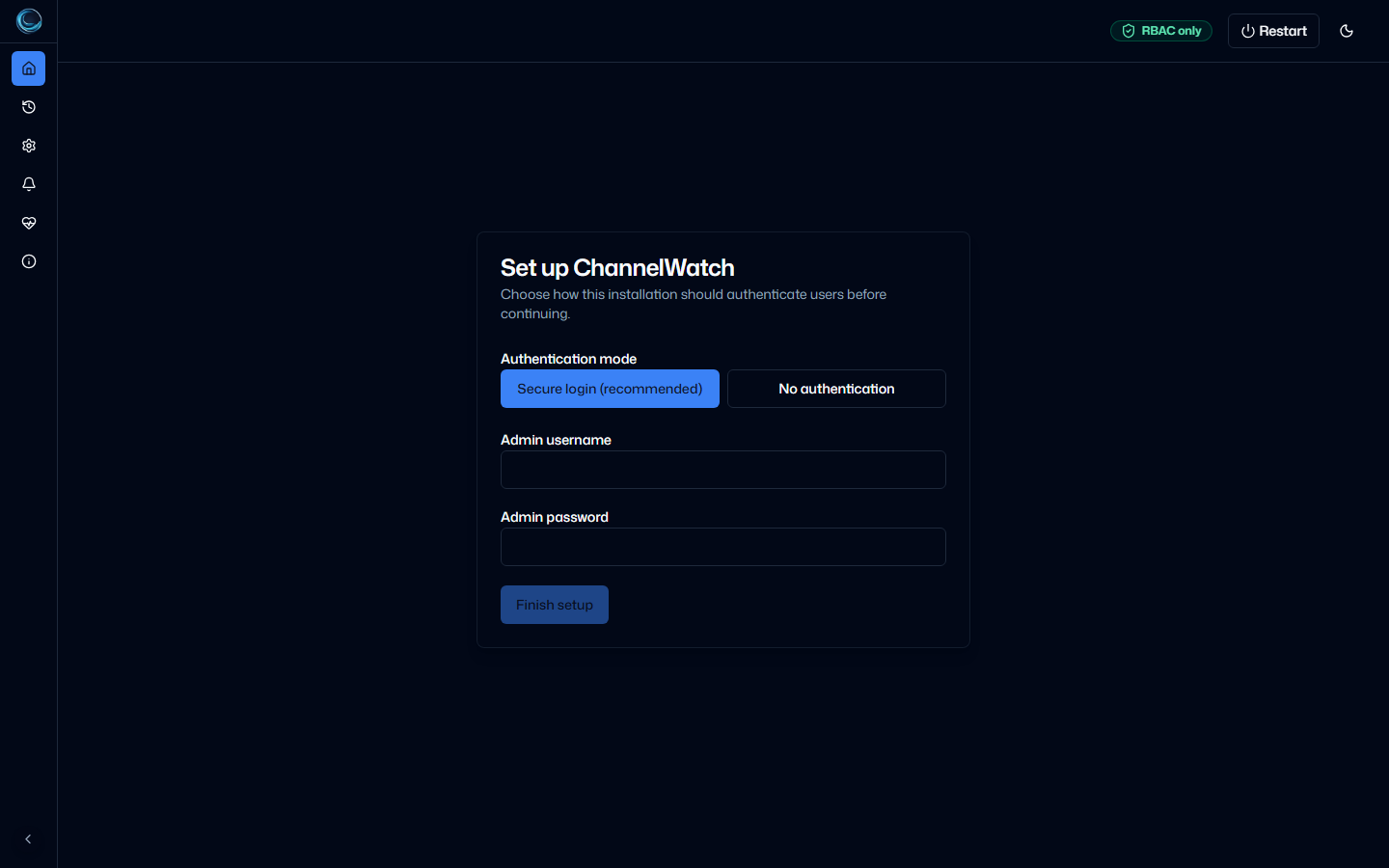
Initial Auth SetupInitial setup asks the operator to choose secure login or explicit no-auth mode before the app opens. 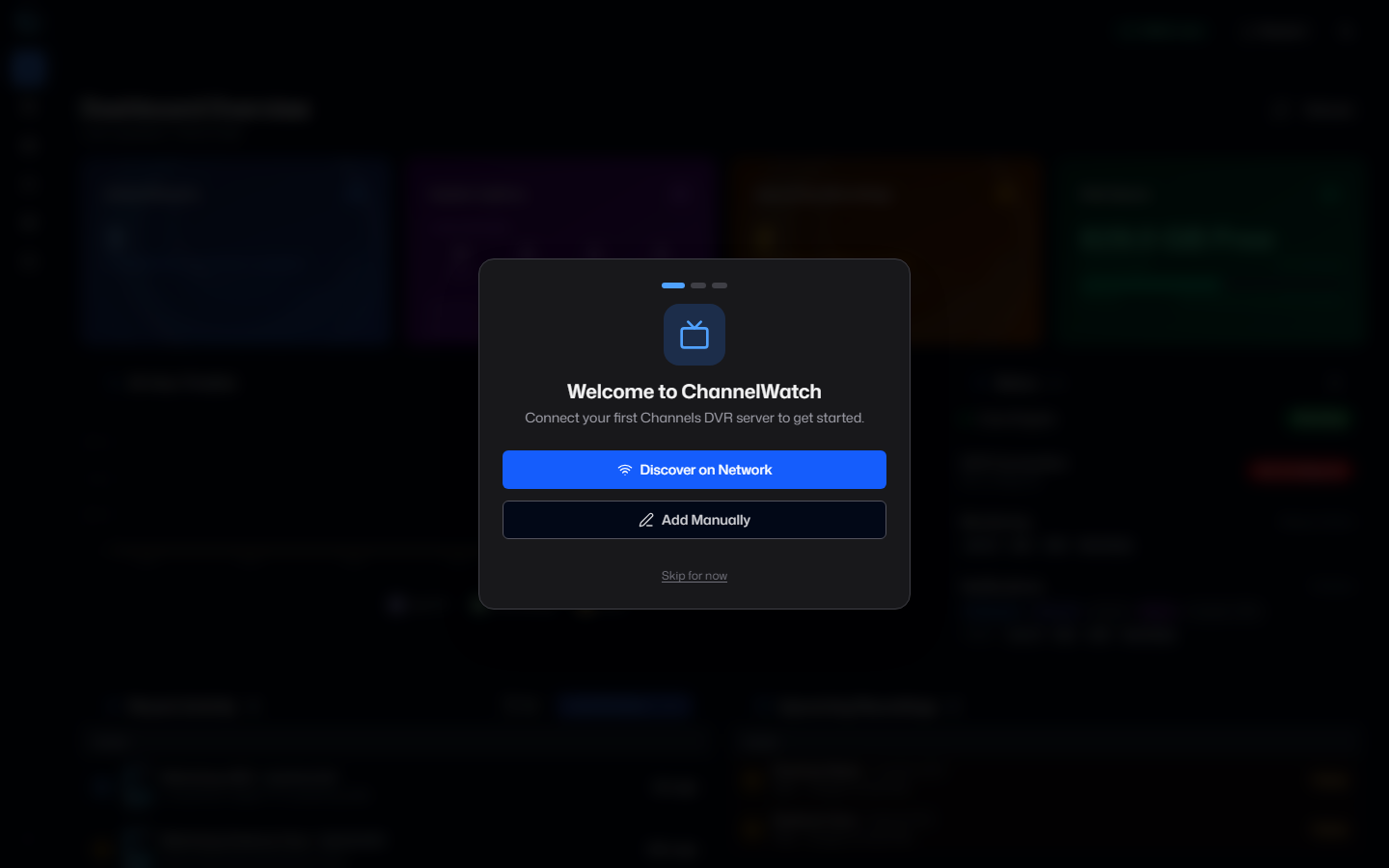
First-Run WizardThe first-run wizard appears when no DVR servers are configured. 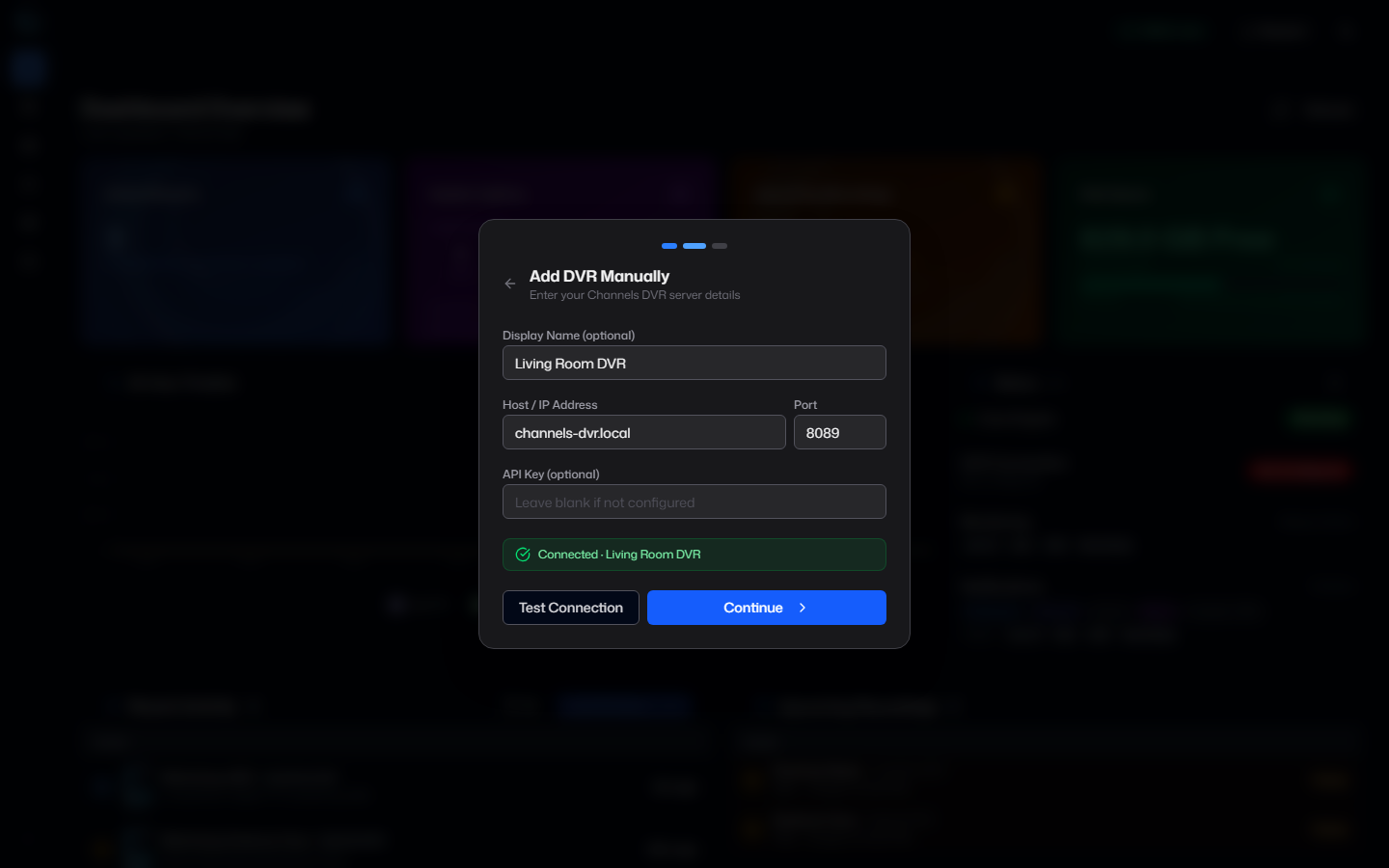
Manual DVR AddManual setup supports a demo-safe name, host, port, optional API key, and connection test before saving.
Dashboard
2 verified views
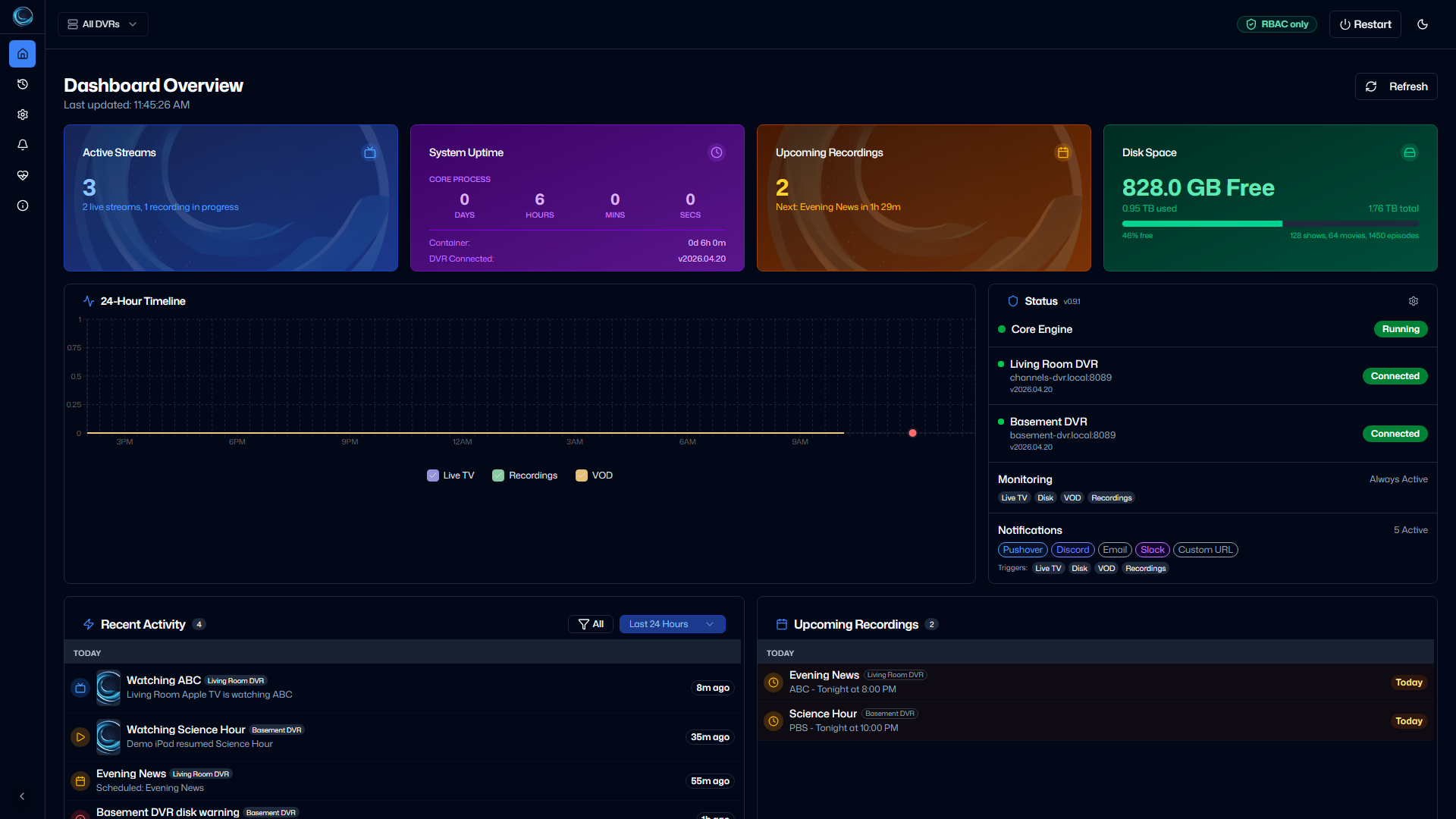
Dashboard OverviewMain dashboard with live streams, upcoming recordings, disk status, activity timeline, and multi-DVR health. 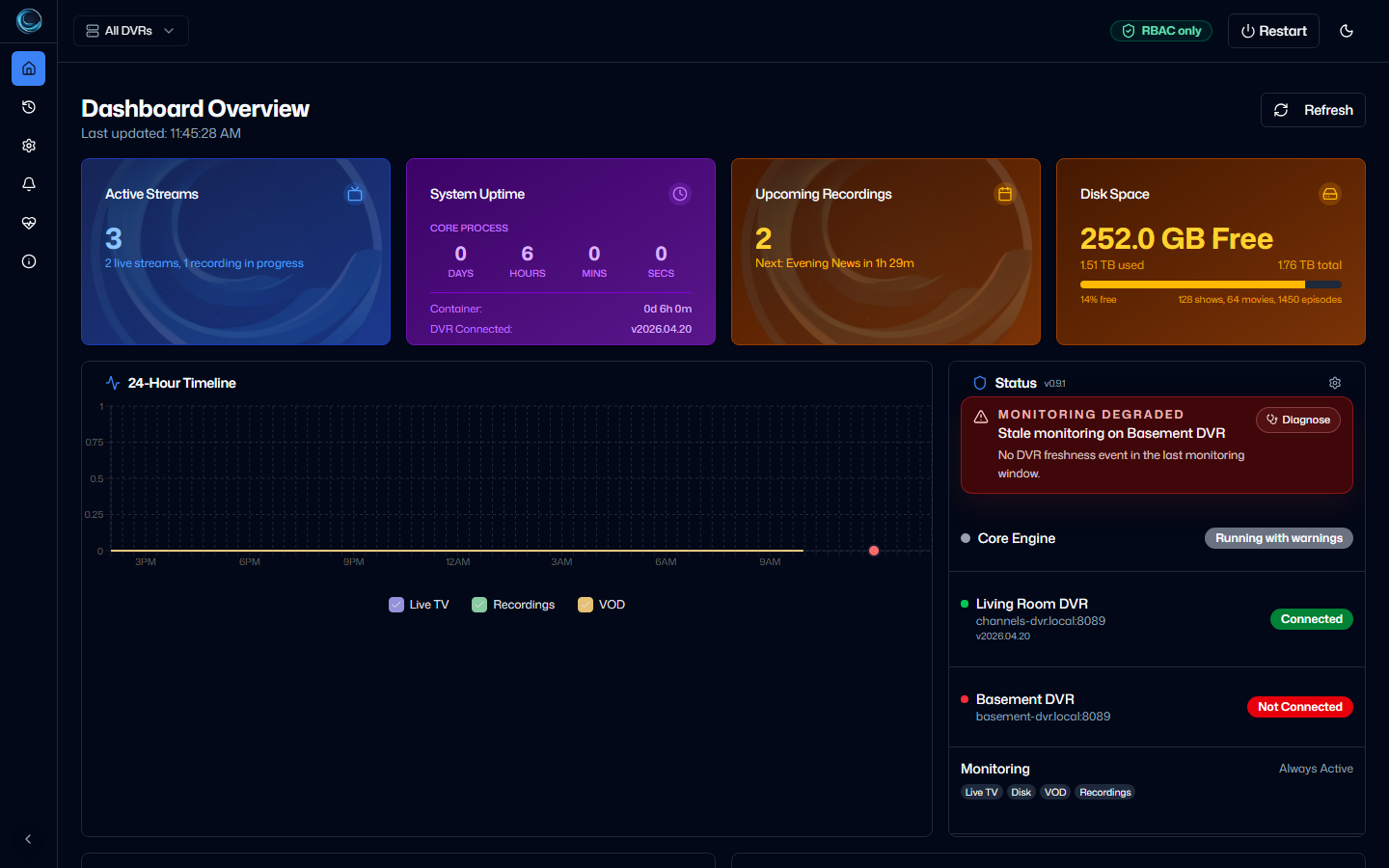
Dashboard Warning StateA degraded demo state shows how stale DVR freshness and disk pressure are surfaced without exposing real DVR data.
Settings
1 verified view
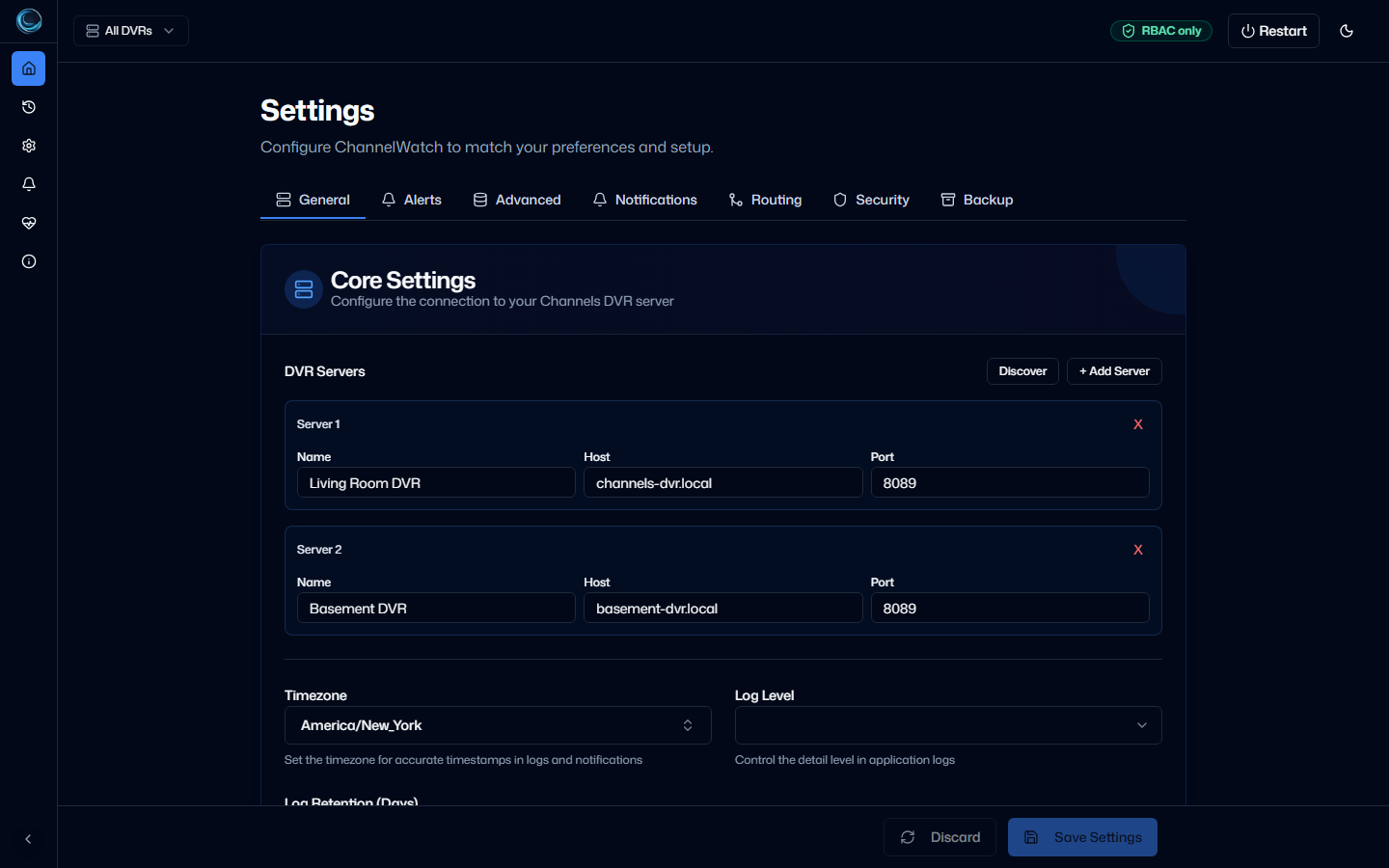
Multi-DVR SettingsThe General tab manages multiple DVR servers with discovery and manual add controls.
Alerts
2 verified views
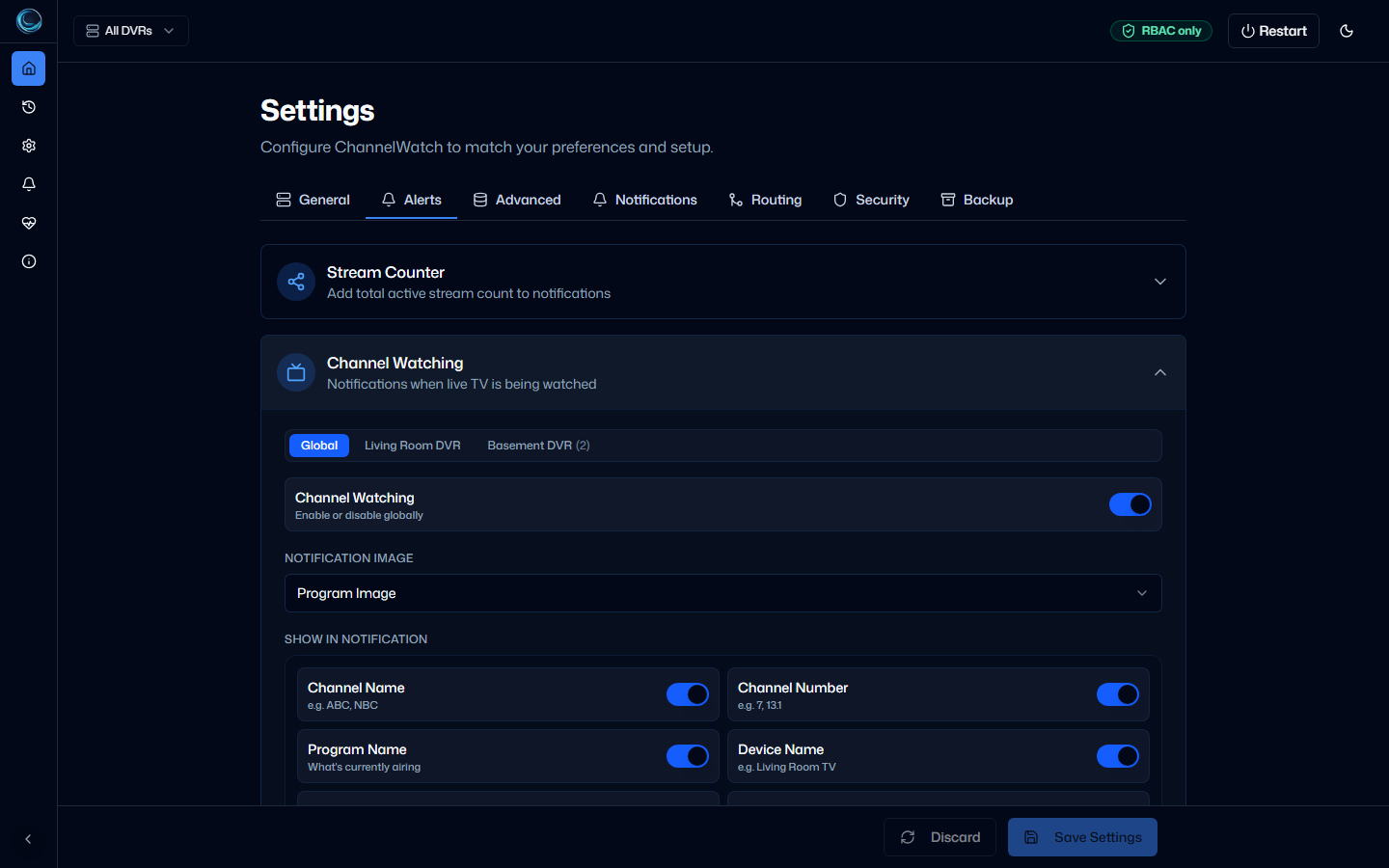
Channel Watching AlertsChannel Watching settings expose per-DVR alert controls and notification field choices. 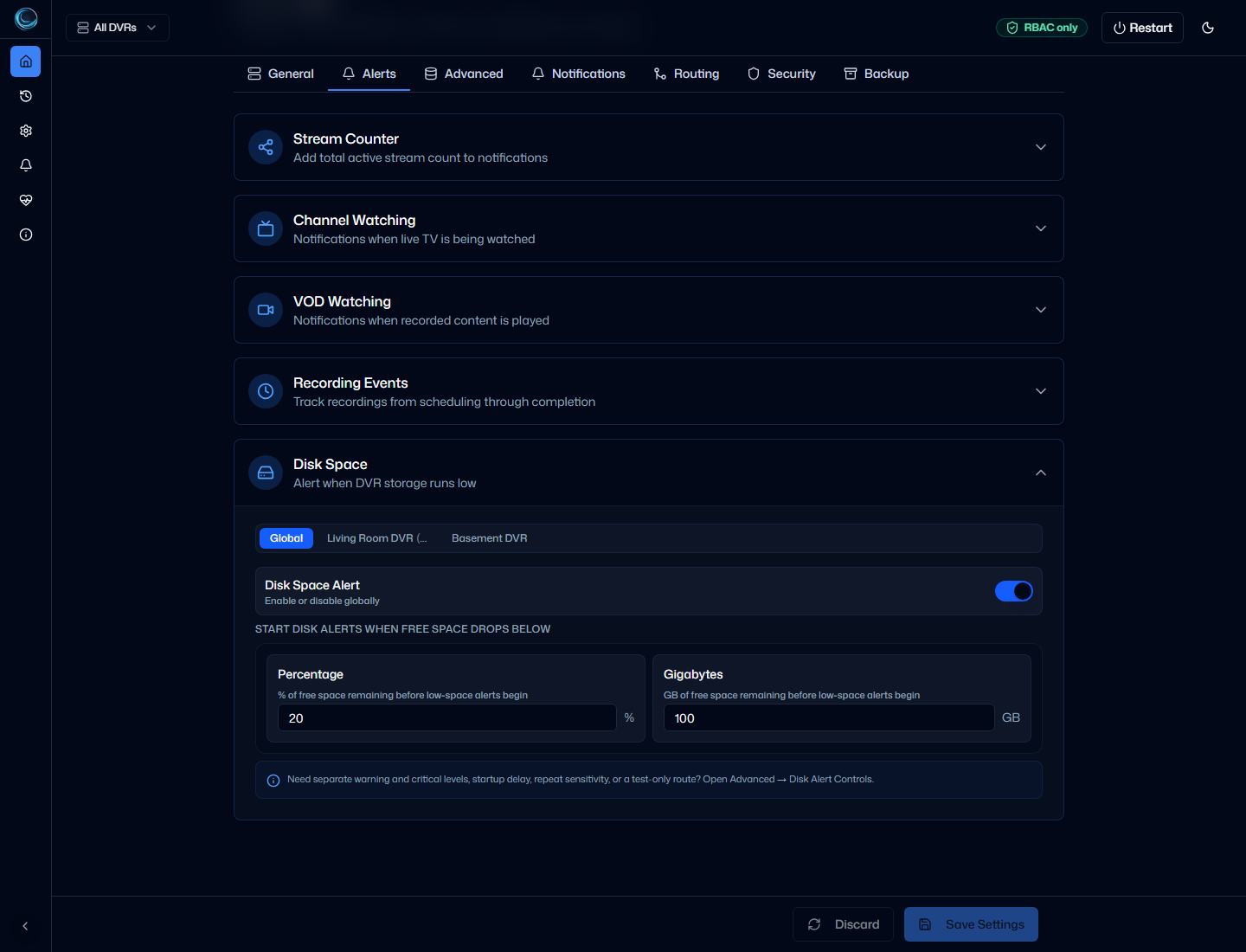
Disk Alert ThresholdsDisk Space alerts use configurable warning and critical thresholds with per-DVR overrides.
Notifications
3 verified views
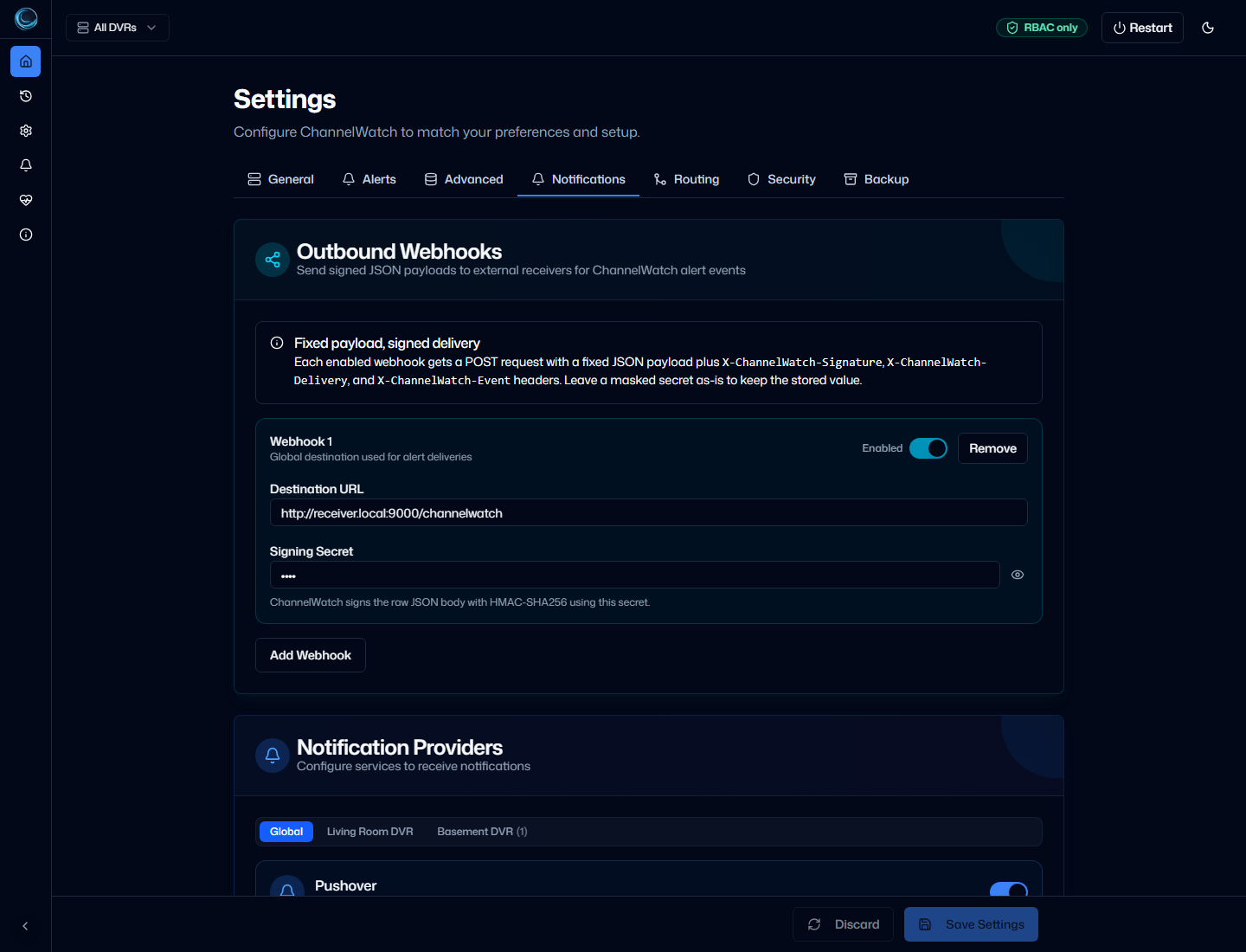
Notification ProvidersNotification setup includes signed webhooks plus Apprise-backed providers such as Pushover, Discord, email, Slack, and Custom. 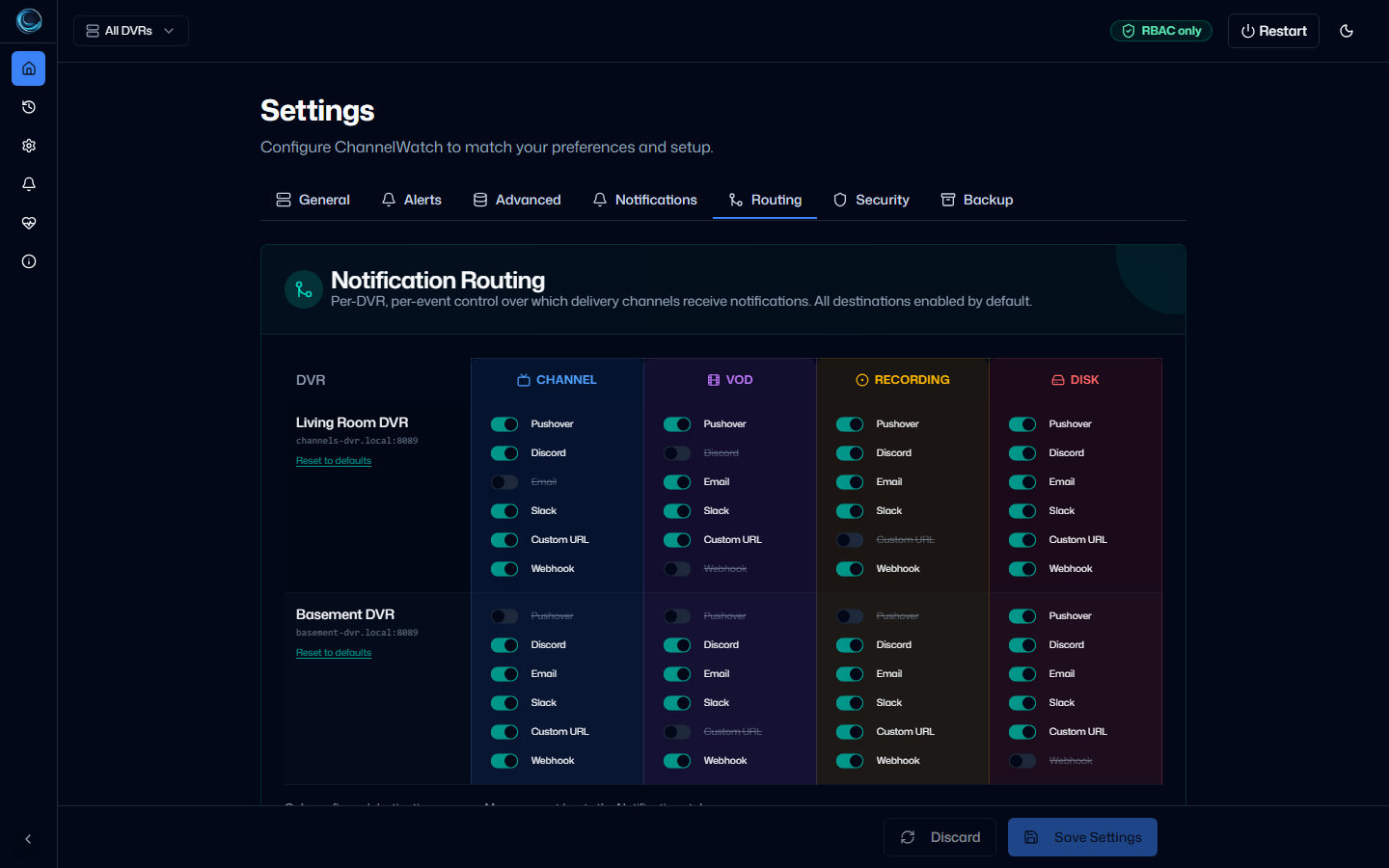
Notification Routing MatrixThe routing matrix controls which destinations receive each alert type for each DVR. 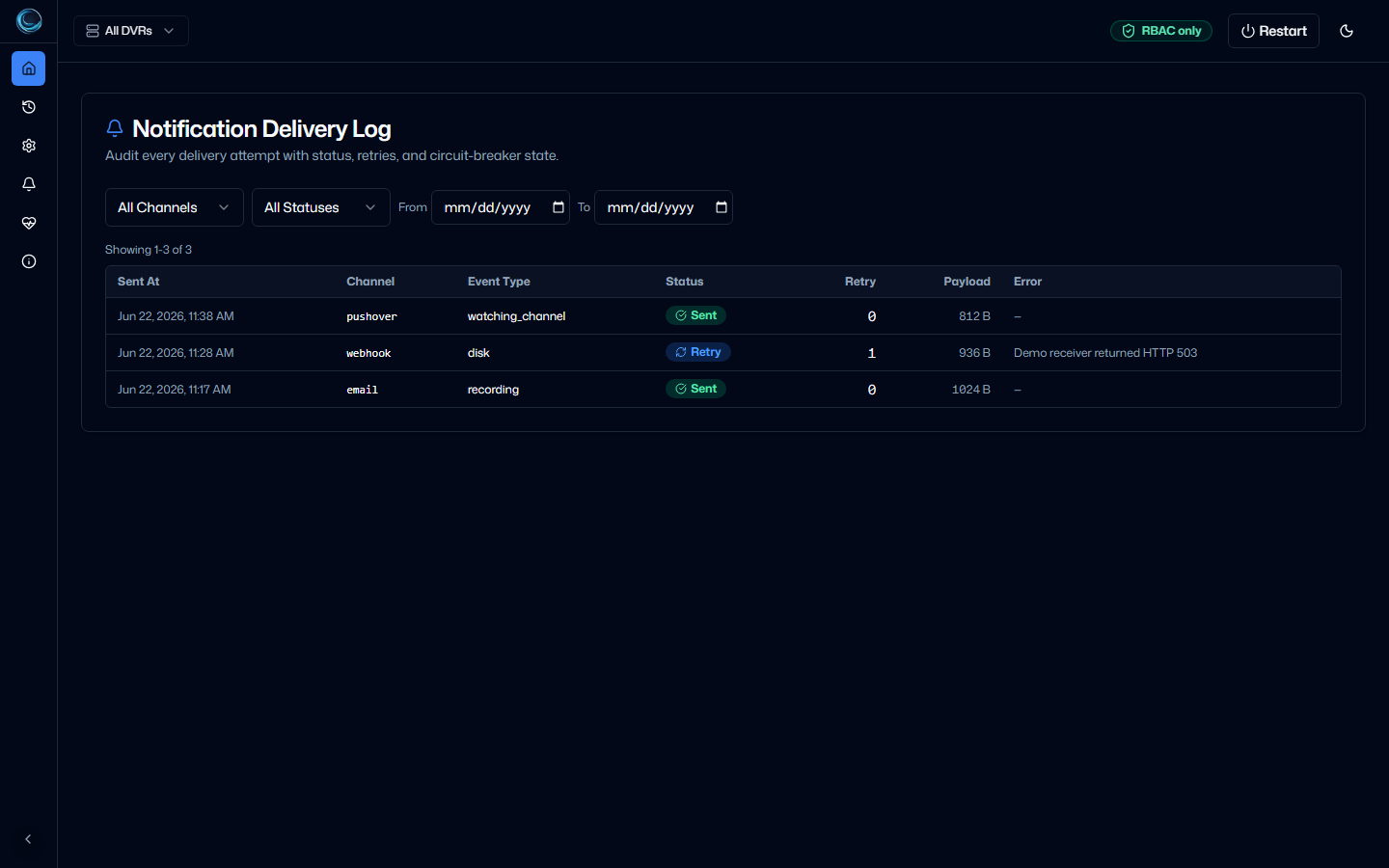
Notification Delivery LogDelivery logs show per-alert status, retry count, payload size, and receiver errors.
Operations
3 verified views
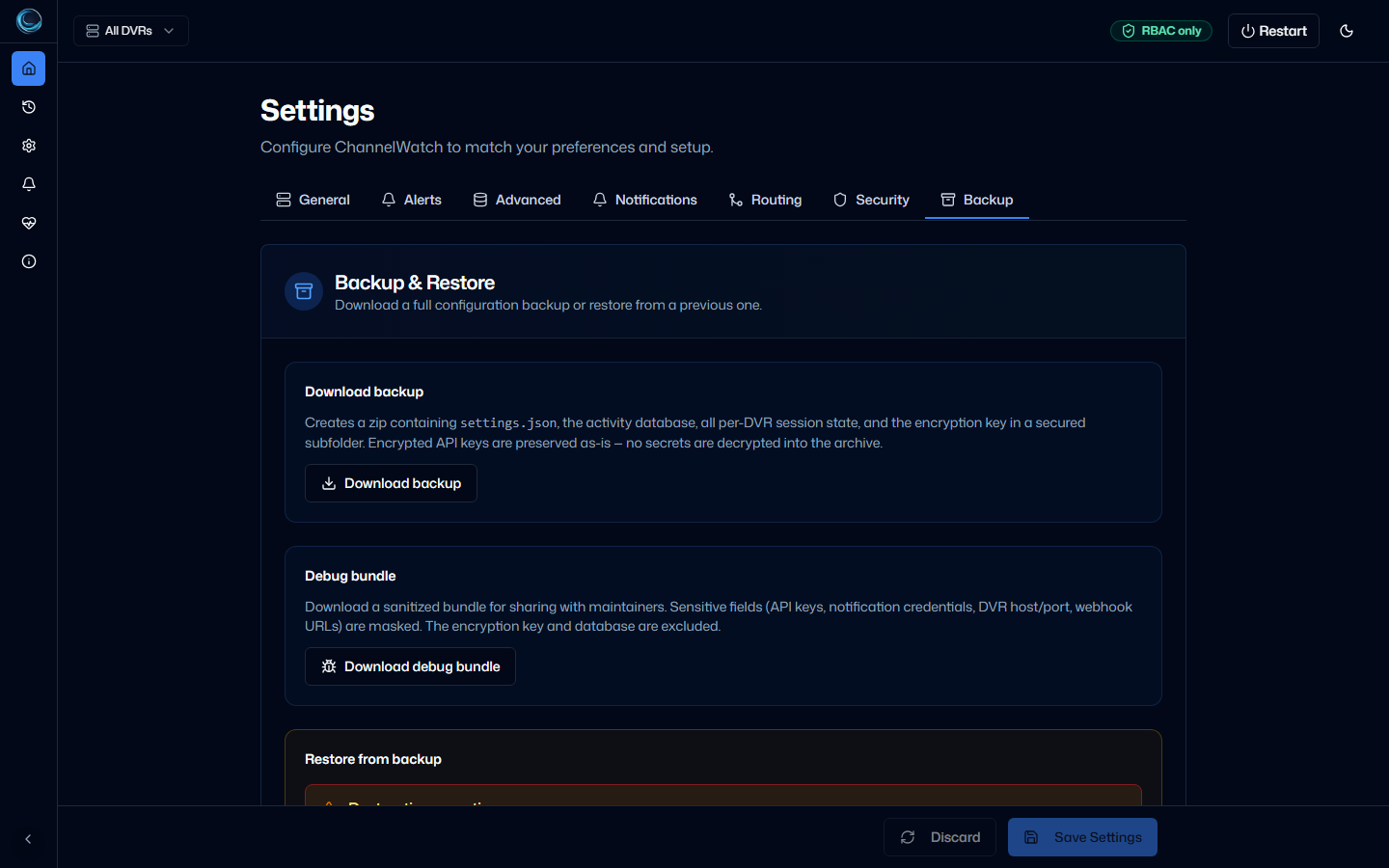
Backup And RestoreBackup and restore tools include explicit restore warnings and a sanitized debug bundle download. 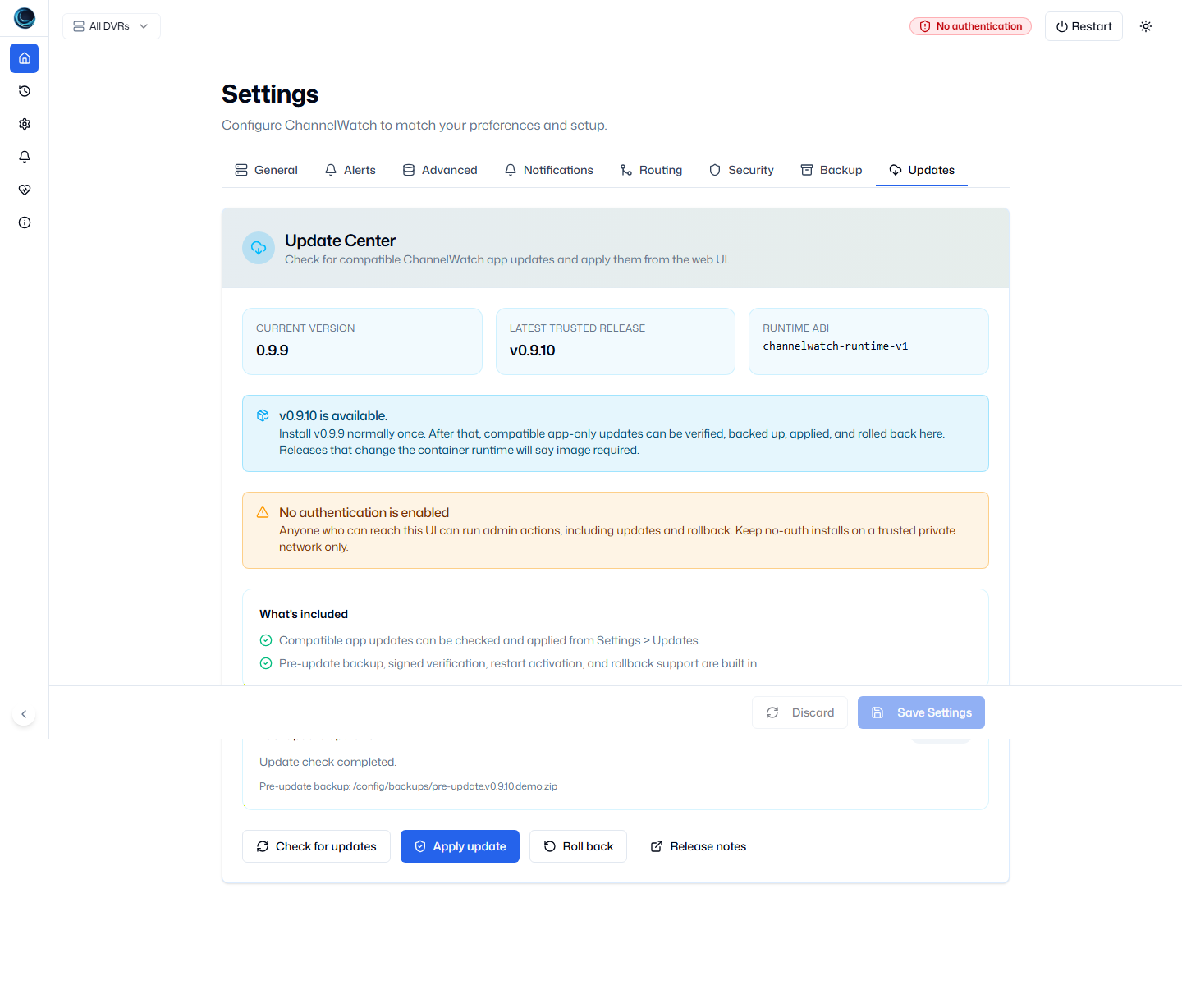
Update CenterThe Update Center verifies the trusted release and explains when a container image update is required. 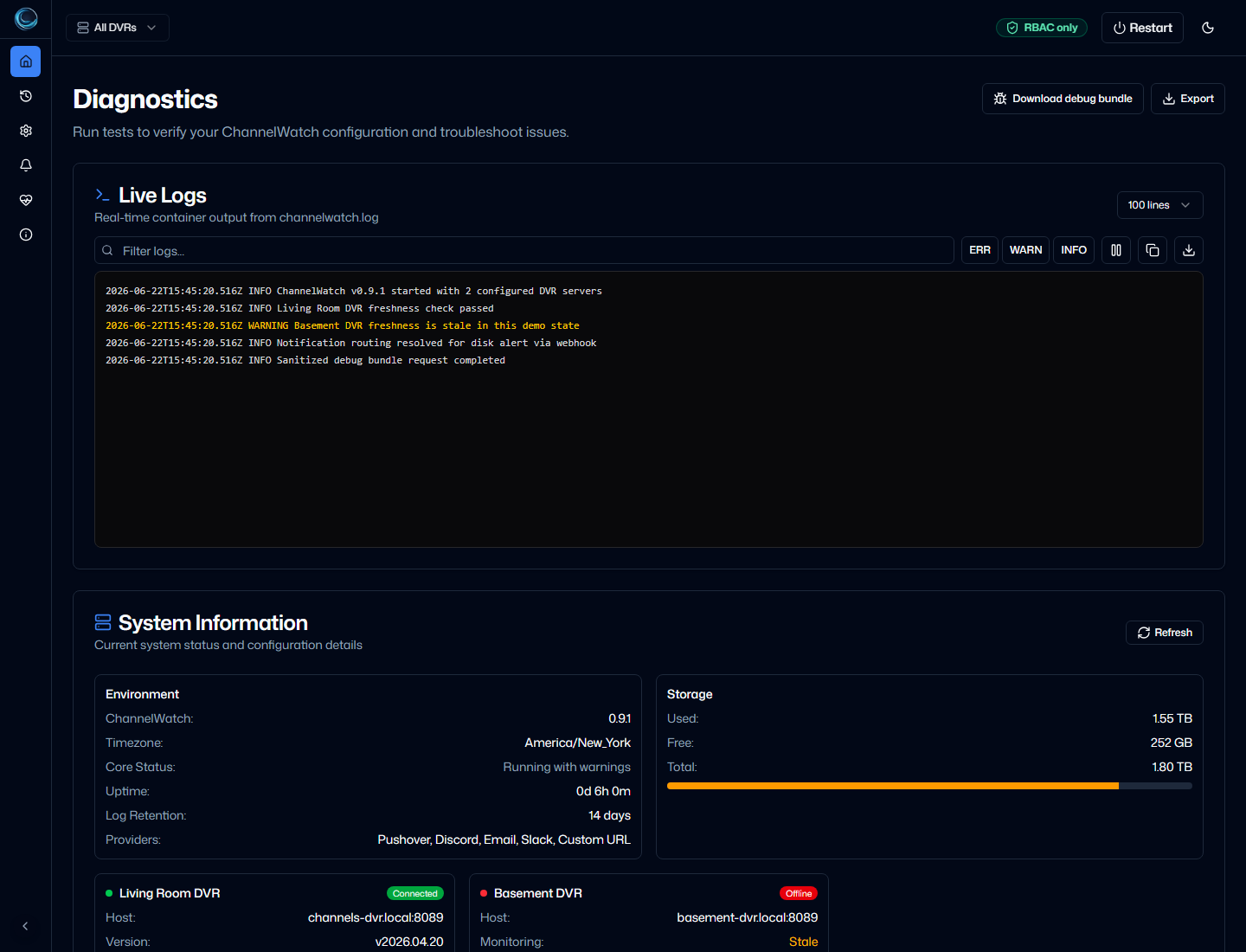
Diagnostics And Debug BundleDiagnostics groups health checks, log review, alert tests, and sanitized debug bundle download in one operator surface.
Security
2 verified views
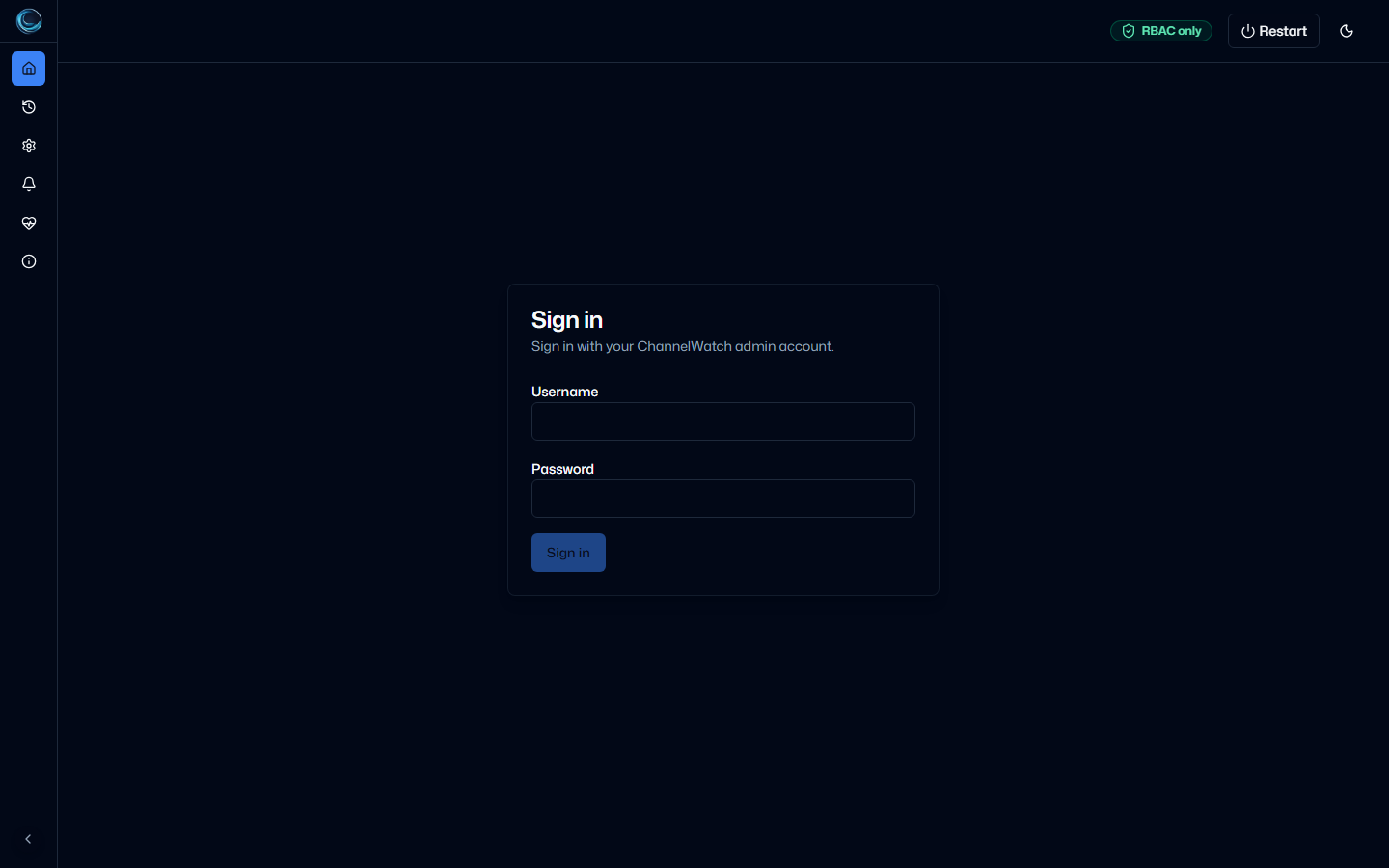
RBAC LoginRBAC mode uses a username and password login before the dashboard loads. 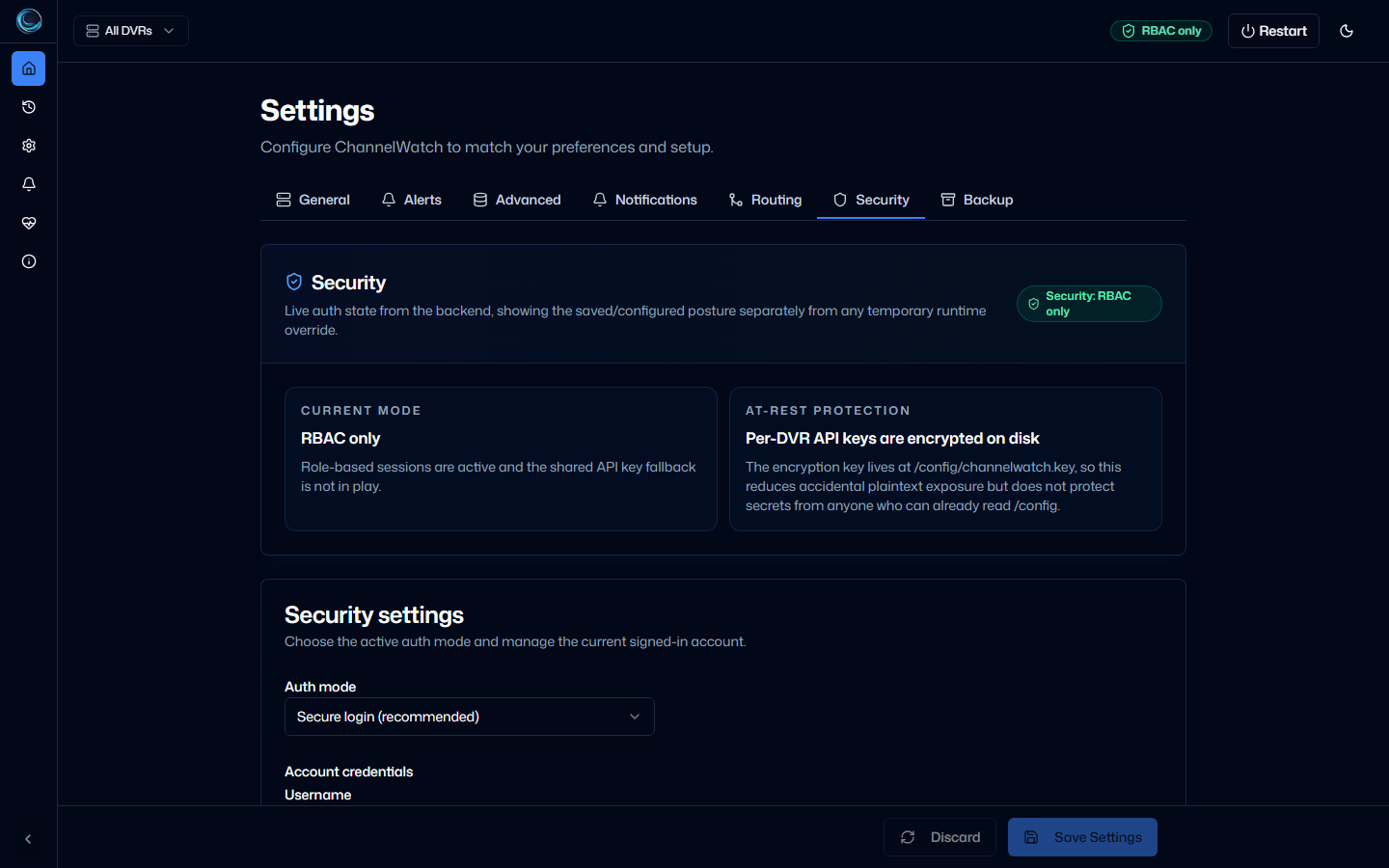
RBAC Security StatusSecurity settings report the current auth mode, session support, API-key fallback state, and encrypted per-DVR key storage.
Responsive
1 verified view
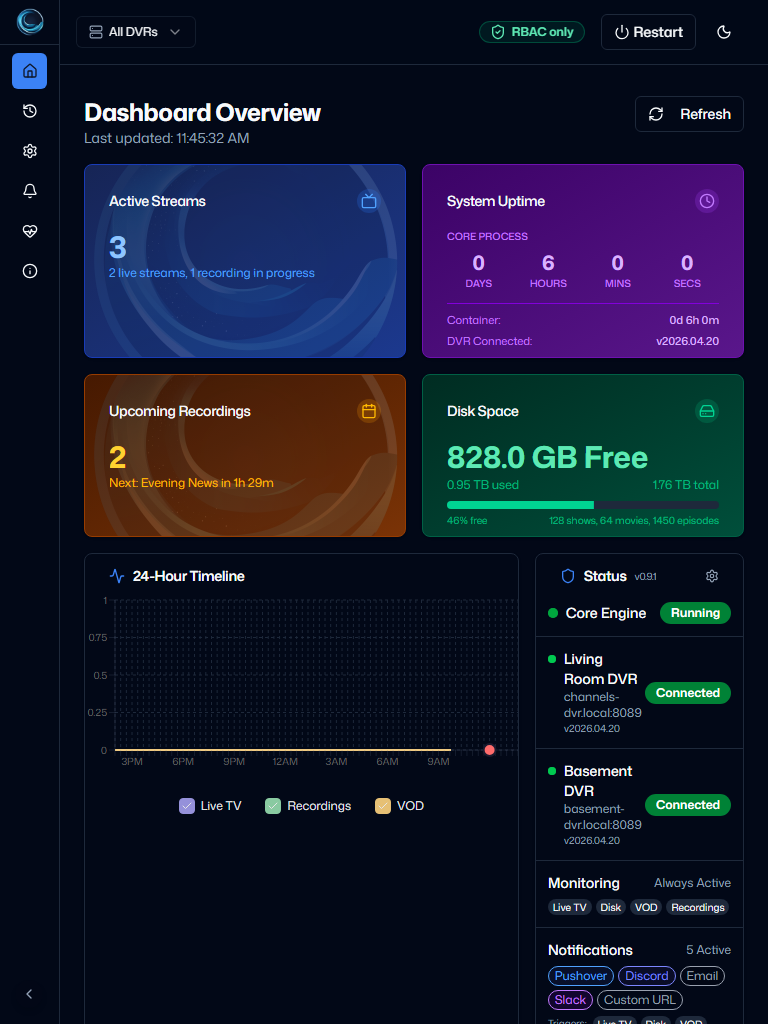
Dashboard TabletTablet portrait keeps dashboard cards stacked and readable.
States
2 verified views
Dashboard LoadingThe initial loading state appears while the app waits for settings and security status. 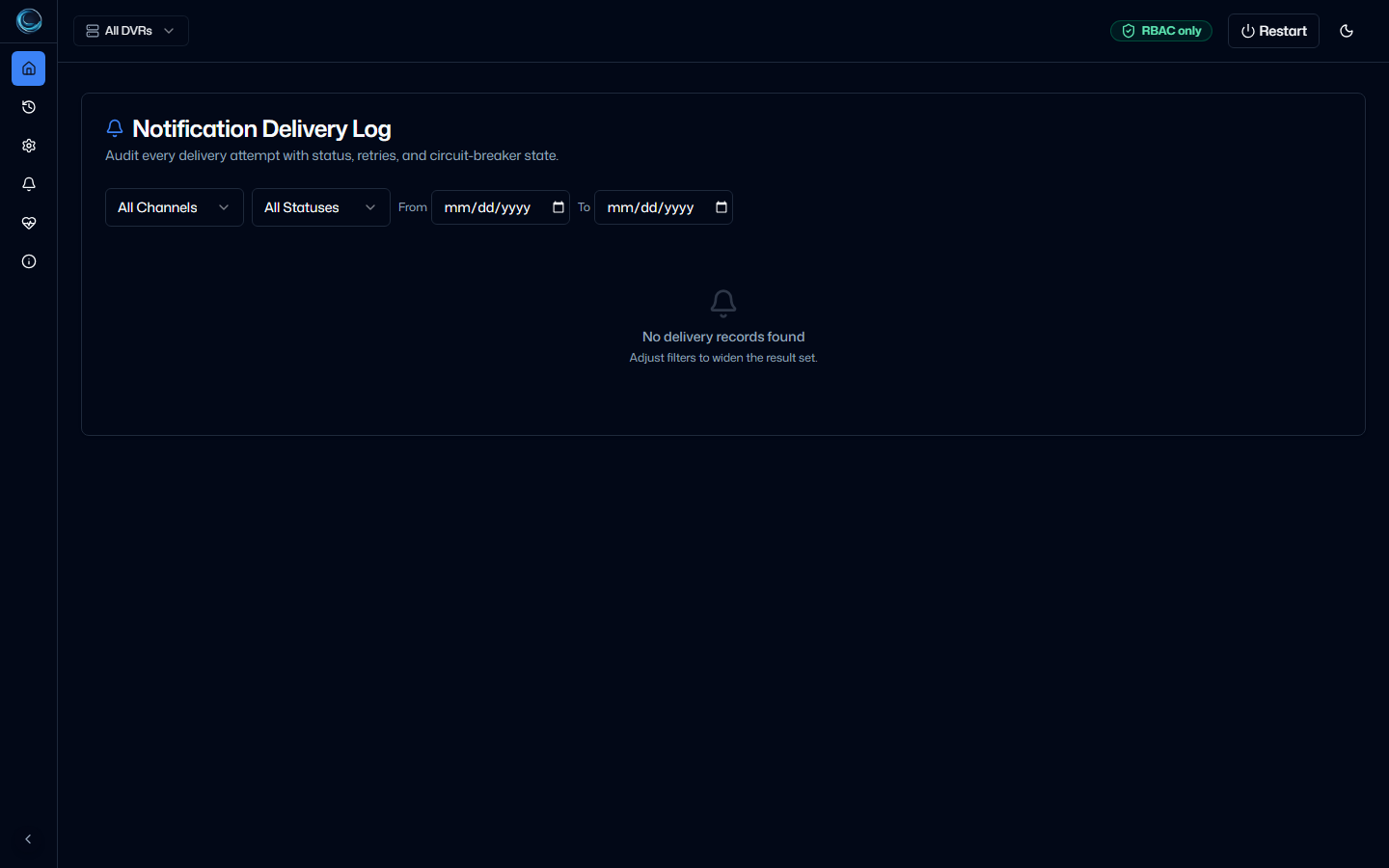
Notification Empty StateEmpty delivery logs explain what is missing instead of showing a blank table.