
Disk Space
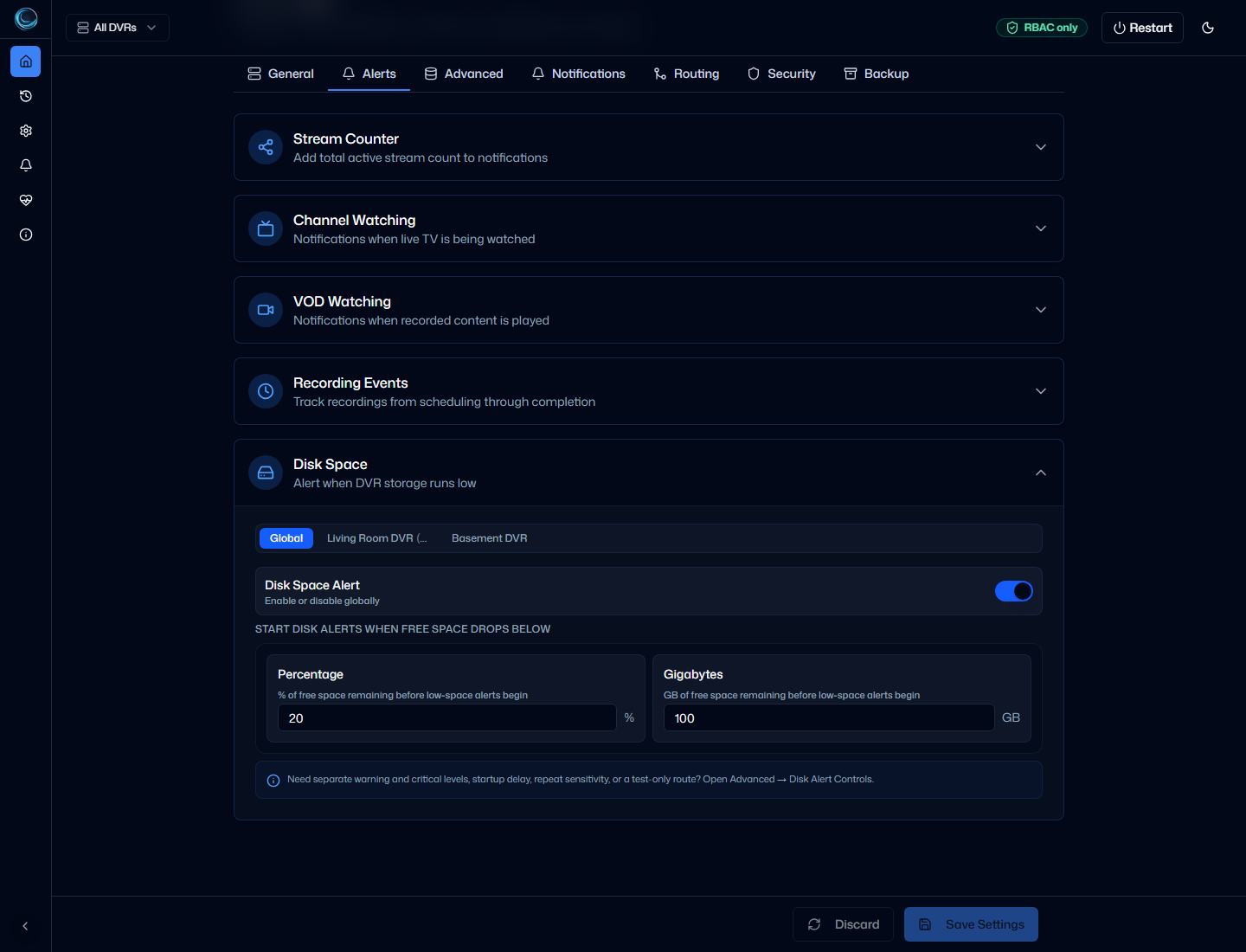
Disk Space alerts watch your Channels DVR storage and notify you when free space drops below configurable thresholds. Two severity levels let you act early on a warning before a critical condition interrupts recordings.
Severity levels
Section titled “Severity levels”ChannelWatch uses two severity levels for disk alerts.
| Severity | Default threshold | Emoji |
|---|---|---|
| Warning | Below 10% free or below 50 GB free | ⚠️ |
| Critical | Below 5% free or below 25 GB free | 🚨 |
A threshold fires when free space drops below either the percent value or the GB value, whichever is reached first. Critical takes priority: if free space is already below the critical threshold, only a Critical alert is sent, not a Warning.
Notification format
Section titled “Notification format”Warning alert:
Title: ⚠️ Low Disk Space Warning
Free Space: 200.59 GB / 1.82 TB (10.8%)Used Space: 1.62 TBDVR Path: /shares/DVR
Critical alert:
Title: 🚨 Low Disk Space Critical
Free Space: 18.42 GB / 1.82 TB (1.0%)Used Space: 1.80 TBDVR Path: /shares/DVR
Both formats show free space, total capacity, the percentage free, used space, and the DVR storage path.
Startup grace period
Section titled “Startup grace period”ChannelWatch waits until startup has settled before sending disk alerts. If a low-space condition already exists when the container starts, no notification is sent until the startup grace period has passed. This prevents a flood of alerts every time the container restarts on a system that is already low on space.
The default grace period is 10 seconds. This is controlled by ds_startup_grace_seconds in Settings > Advanced > Disk Alert Controls.
Cooldown and worsening logic
Section titled “Cooldown and worsening logic”Once a warning or critical alert has been sent, ChannelWatch does not keep repeating the same alert unless the condition gets meaningfully worse within that same severity level. Specifically, a repeat notification at the same severity requires both:
- Free space has dropped by at least
ds_worsening_delta_gbGB ords_worsening_delta_percentpercentage points since the last notification at that severity. ds_alert_cooldownhas elapsed since the last notification (default: 1 hour).
If disk space recovers to normal and then drops below a threshold again later, a fresh alert fires regardless of the cooldown. Escalating from warning to critical also sends a new alert immediately, without waiting for the cooldown.
Advanced settings
Section titled “Advanced settings”The main Disk Space enable/disable toggle lives under Settings > Alerts > Disk Space. Advanced threshold and timing values are configurable in the web UI under Settings > Advanced > Disk Alert Controls:
- Warning threshold (percent):
ds_warning_threshold_percent - Warning threshold (GB):
ds_warning_threshold_gb - Critical threshold (percent):
ds_critical_threshold_percent - Critical threshold (GB):
ds_critical_threshold_gb - Startup grace period:
ds_startup_grace_seconds - Worsening sensitivity in GB:
ds_worsening_delta_gb - Worsening sensitivity in percent:
ds_worsening_delta_percent - Cooldown period:
ds_alert_cooldown - Optional separate test destination for disk alert tests:
ds_test_route_override
Source still reads legacy ds_threshold_percent and ds_threshold_gb as fallback values for the warning threshold when the newer warning-specific keys are absent, but the current settings surface uses the explicit warning and critical keys above.
Testing
Section titled “Testing”You can send a test disk alert from the Diagnostics tab in the web UI. Test notifications are clearly labeled with [TEST] in the title so they are easy to distinguish from real alerts:
Title: ⚠️ [TEST] Low Disk Space Warning
Free Space: 200.59 GB / 1.82 TB (10.8%)Used Space: 1.62 TBDVR Path: /shares/DVR
If you configure an optional test destination in the advanced disk settings, test alerts go to that destination instead of your normal notification route. If no override is set, test alerts use the normal route.
From the command line:
docker exec -it channelwatch python -m core.main --test-alert ALERT_DISK_SPACETroubleshooting
Section titled “Troubleshooting”If disk space alerts are not arriving:
- Confirm Disk Space alerts are enabled in Settings > Alerts > Disk Space.
- Check that your notification provider credentials are valid using the Diagnostics tab.
- If alerts are firing too frequently, increase the cooldown or worsening sensitivity in the advanced settings.
- If alerts are not firing at all after startup, verify the startup grace period has passed and that free space is actually below a configured threshold.
- Check container logs for API connectivity errors:
docker logs channelwatch.
Related pages
Section titled “Related pages”- Notification Examples - sample warning and critical payloads
- Recording Events - another state-based alert page
- Notification Providers - configure where alerts are delivered