
Security Modes
Fresh ChannelWatch v1.5.3 installs require a security choice before DVR setup. Choose Secure login for a local administrator account and browser sessions. Choose trusted-network no-auth only when every client that can reach the app is trusted.
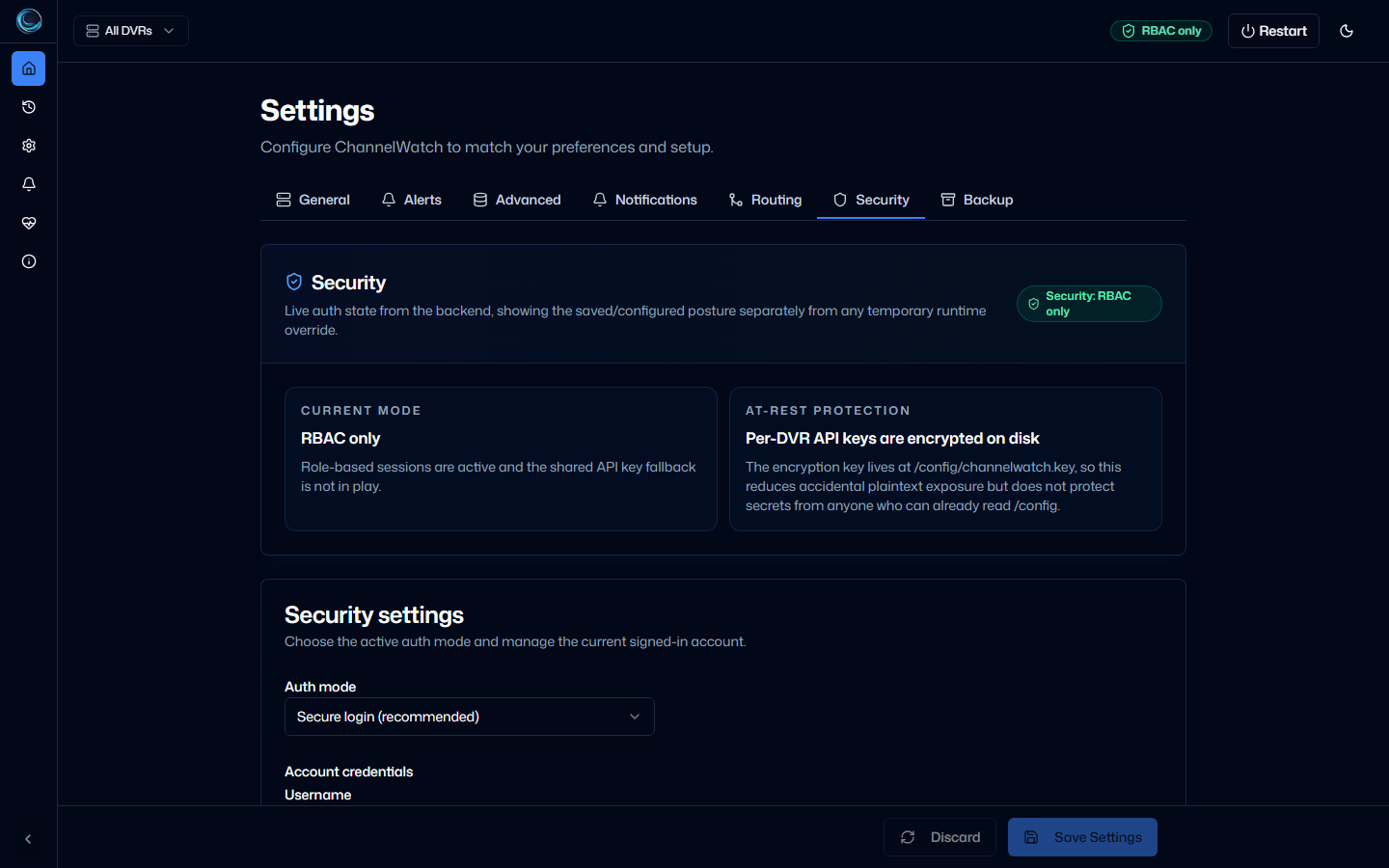
The four status modes
Section titled “The four status modes”| Mode | Badge | Meaning |
|---|---|---|
NO_AUTH |
Red | Requests do not require credentials. This is the persisted trusted-network choice or the temporary CW_DISABLE_AUTH override. |
API_KEY_ONLY |
Amber | A legacy shared X-API-Key protects authenticated routes. Anyone with the key has full access. |
RBAC_WITH_API_KEY_FALLBACK |
Orange | Browser sessions and role checks are active, but the legacy shared key still bypasses them. |
RBAC_ONLY |
Green | Secure login is active and no shared-key bypass remains. |
API_KEY_ONLY and fallback mode remain available for upgraded installations and existing integrations. They are compatibility paths, not the default choices offered by fresh setup.
Check the current mode
Section titled “Check the current mode”The public status endpoint reports both configured and effective state:
GET /api/v1/security/statusExample for a completed secure-login setup:
{ "persisted_mode": "rbac", "configured_mode": "rbac", "effective_mode": "rbac", "setup_required": false, "runtime_auth_override_active": false, "api_key_fallback_active": false, "rbac_enabled": true, "session_auth_available": true, "session_setup_required": false, "security_mode": "RBAC_ONLY", "auth_disabled": false, "api_key_configured": false, "encrypted_dvr_api_keys_at_rest": true, "encryption_key_path": "/config/encryption.key", "feeds": { "implemented": true, "ics_enabled": false, "rss_enabled": false, "atom_enabled": false }}encrypted_dvr_api_keys_at_rest reports the DVR-key check exposed by this endpoint. ChannelWatch also encrypts custom webhook URL and secret fields when it writes settings, but this response does not expose a separate webhook-encryption field.
Choose a mode
Section titled “Choose a mode”| Scenario | Choice |
|---|---|
| Normal home, NAS, or shared deployment | Choose Secure login during setup. |
| Isolated trusted network where every client may administer the app | Choose trusted-network no-auth. |
Upgraded install with scripts that still send X-API-Key |
Keep the legacy mode only until those integrations are migrated. |
| Emergency access while repairing authentication | Set CW_DISABLE_AUTH=true temporarily, then remove it. |
After setup, Settings > Security offers the persisted choices Secure login and trusted-network no-auth. SSO and OIDC are not part of v1.5.3.
Encryption-key rotation is a doctor CLI operation. It re-encrypts stored DVR API keys and protected custom webhook fields:
docker exec channelwatch channelwatch doctor rotate-encryption-keyRelated pages
Section titled “Related pages”- DVR API Keys - how Channels DVR credentials are stored and rotated
- Secure Login and Roles - session auth, roles, and recovery
- CSP, CSRF, Cookies - browser request protections